
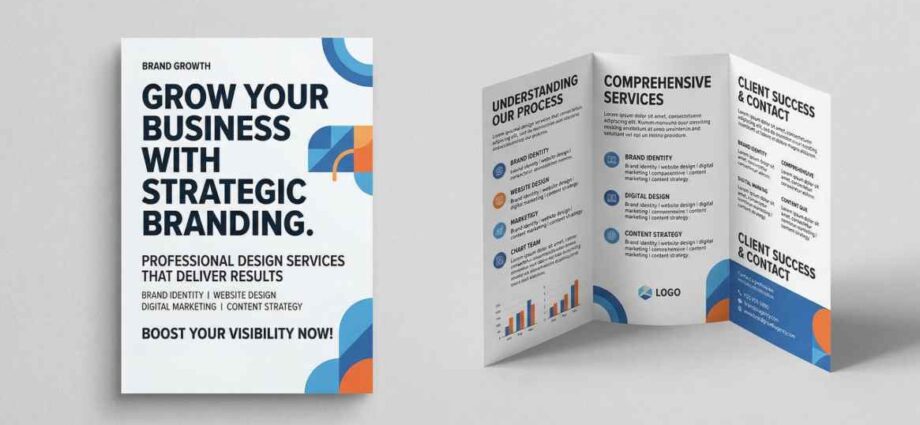
In an era dominated by digital inbox clutter and automated marketing emails, tangible printed communication remains an effective way to connect with local audiences. Printed flyers and community newsletters provide a physical connection that readers can hold, save, and reference at their convenience. Whether sharing quarterly updates with neighborhood residents, announcing local events, or outlining service offerings, well-designed print pieces achieve high readership rates.
Producing an effective print publication requires balancing article layout, visual hierarchy, paper stock selection, and print finishing options. When studying print production standards and publication folding styles, reviewing recommendations from commercial print teams like AlphaGraphics Conroe provides helpful insight into how paper weights, grid layouts, and mailing formats keep readers engaged. By taking a structured approach to document design, you can publish informative print materials that deliver clear value.
1. Defining the Difference Between Flyers and Newsletters
While both formats convey information on paper, flyers and newsletters serve distinct communication roles based on content depth and reader intent.
Printed Flyers
- Single-Sheet Focus: Typically designed on a single 8.5×11 inch sheet (one or two-sided).
- Immediate Call to Action: Best suited for promoting single events, grand openings, short sales, or specific service announcements.
- Rapid Reading Time: Designed to be scanned in under 30 seconds using large headlines and bold visuals.
Printed Newsletters
- Multi-Page Layouts: Range from 4-page folded sheets to multi-page stapled booklets.
- In-Depth Information: Designed for sharing ongoing news, educational articles, staff updates, and community reports.
- Sustained Engagement: Formatted like mini-magazines to encourage longer reading times and retention.
2. Layout Rules for Clear Page Ergonomics
Organizing visual elements cleanly prevents pages from looking crowded, guiding the reader’s eye naturally through the text.
Page Layout Flow:
[Bold Main Headline] ➔ [Lead Image & Caption] ➔ [Columned Body Copy] ➔ [Clear Contact Footer]
Essential Page Design Rules
- Use Multi-Column Grids: Format newsletter body text into two or three vertical columns rather than wide single lines across the entire page, improving reading comfort.
- Maintain Generous Margins: Leave at least 0.5 inches of white space around page edges to keep content from looking cramped.
- Establish Typography Hierarchy: Use distinct font sizes—large for headlines, medium for subheadings, and small for body text—to help readers scan sections easily.
- Include Visual Breaks: Intersperse long blocks of text with high-resolution photos, callout quotes, or summary bullet points to maintain visual interest.
3. Selecting Paper Stock, Finish, and Folding Styles
The tactile feel of paper influences how readers perceive the quality of your publication.
Paper Weight Selection
- 24 lb to 28 lb Bond Paper: Standard, lightweight paper suitable for high-volume informational flyers and insert sheets.
- 80 lb to 100 lb Gloss or Matte Text: Premium paper offering rich color rendering and a smooth finish, ideal for community newsletters and event handouts.
- 80 lb Cover Stock: Sturdy cardstock recommended for flyers meant to be posted on display boards or saved as reference sheets.
Common Folding Formats
- Half-Fold (4 Pages): An 11×17 sheet folded in half to create four 8.5×11 pages—the classic format for quarterly newsletters.
- Tri-Fold (Letter Fold): An 8.5×11 sheet folded twice into three panels, ideal for mailers and informational handouts.
- Z-Fold: Folds into three panels in an accordion pattern, useful for step-by-step guides and event schedules.
4. Preparing Digital Files for Professional Printing
Proper file preparation prevents technical delays, color shifts, and blurry images during the physical printing process.
Pre-Press File Preparation Checklist
- Set Images to 300 DPI: Ensure all embedded photos feature at least 300 dots per inch (DPI) resolution at full print size to prevent pixelation.
- Convert Colors to CMYK: Prepare art files in CMYK (Cyan, Magenta, Yellow, Key/Black) color mode rather than RGB (Red, Green, Blue) to guarantee accurate physical ink colors.
- Include Full Bleed Margins: Extend background graphics and edge-to-edge images 0.125 inches past the final trim line to avoid thin white borders after paper cutting.
- Export as Print-Ready PDF: Save final documents as high-resolution PDFs with embedded fonts and active crop marks.
5. Print Publication Feature Matrix
| Format Type | Typical Page Count | Recommended Paper | Primary Distribution Method |
| Promotional Flyer | 1 Page (1 or 2 Sided) | 80 lb Gloss Text / Cover | Handouts, Bulletin Boards |
| Bifold Newsletter | 4 Pages (Folded 11×17) | 80 lb Matte Text | Direct Mail, Reception Counters |
| Multi-Page Booklet | 8 to 16 Pages (Stapled) | 100 lb Text with Cover | Subscriber Mailings, Annual Reports |
| Tri-Fold Brochure | 6 Panels (Folded 8.5×11) | 100 lb Gloss Text | Display Racks, Welcome Packets |
By applying clean layout grids, choosing appropriate paper stocks, and properly preparing print files, you can publish printed flyers and newsletters that inform readers effectively.